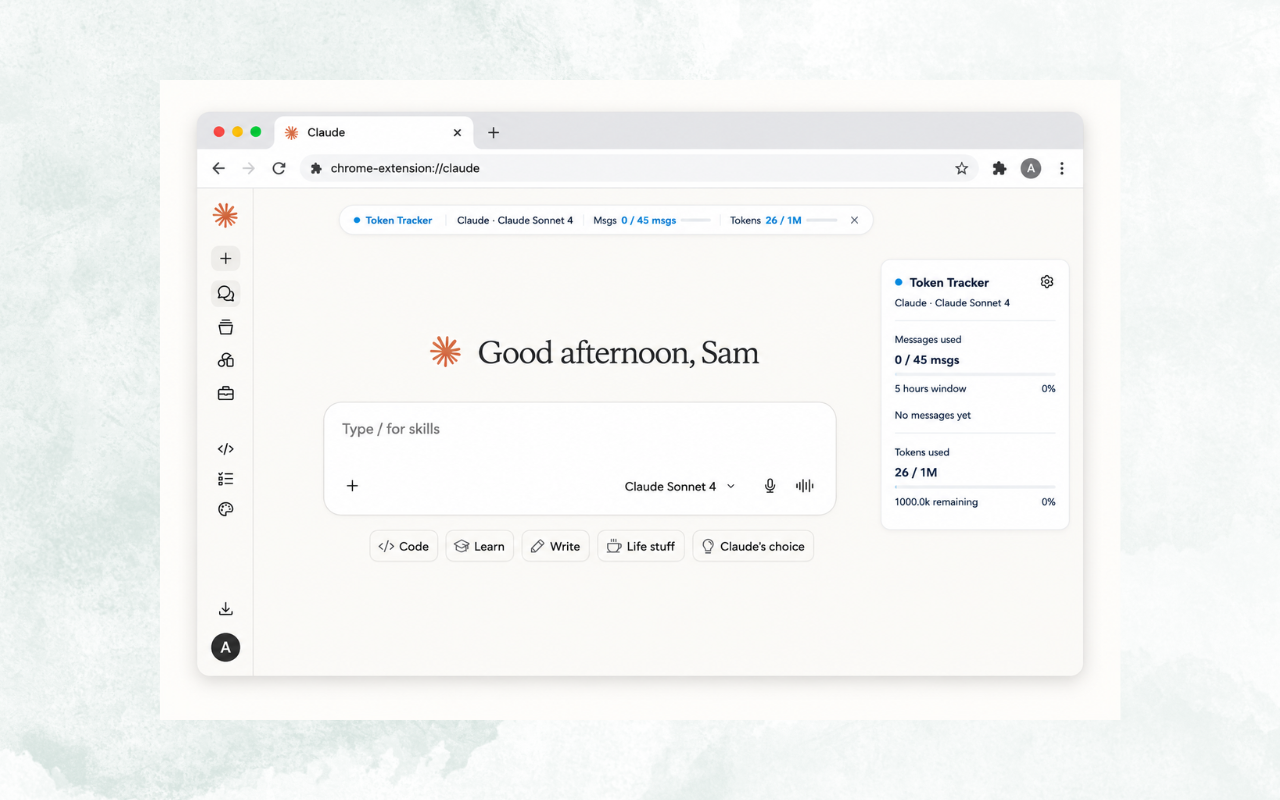
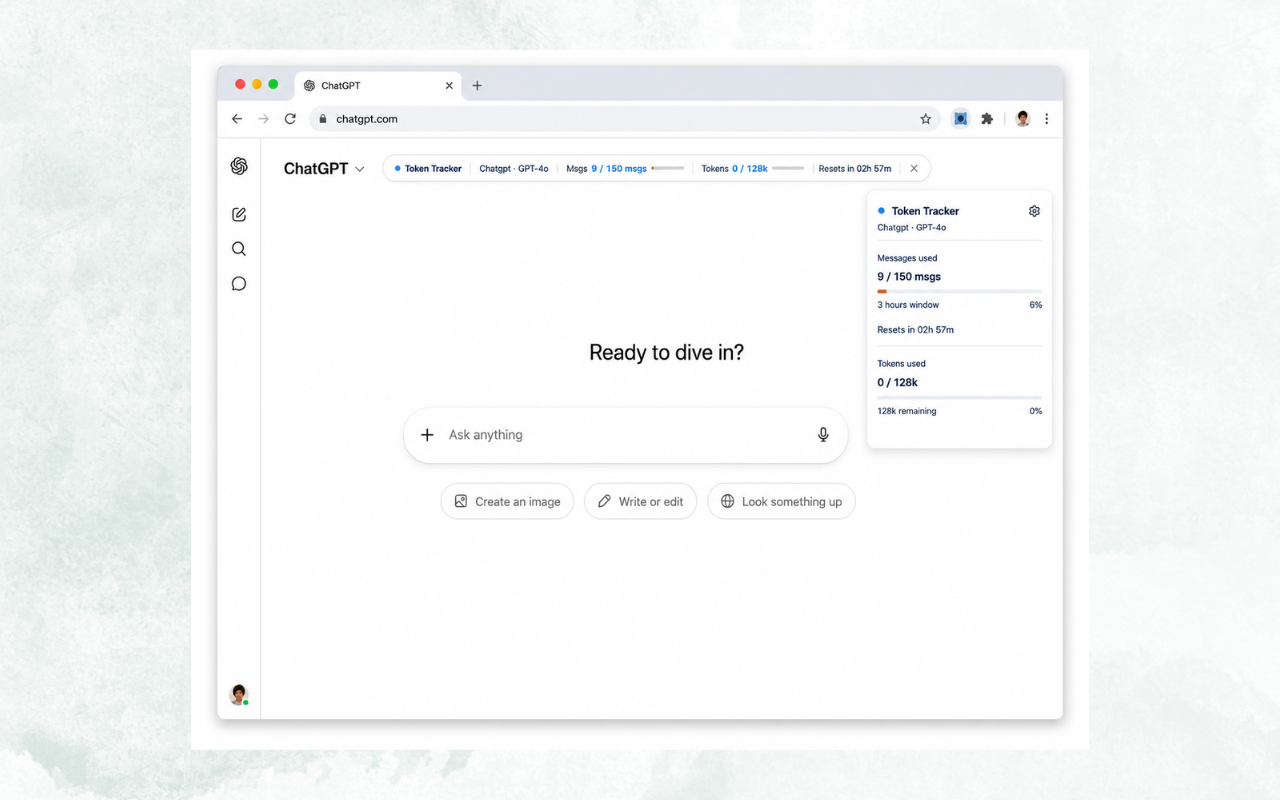
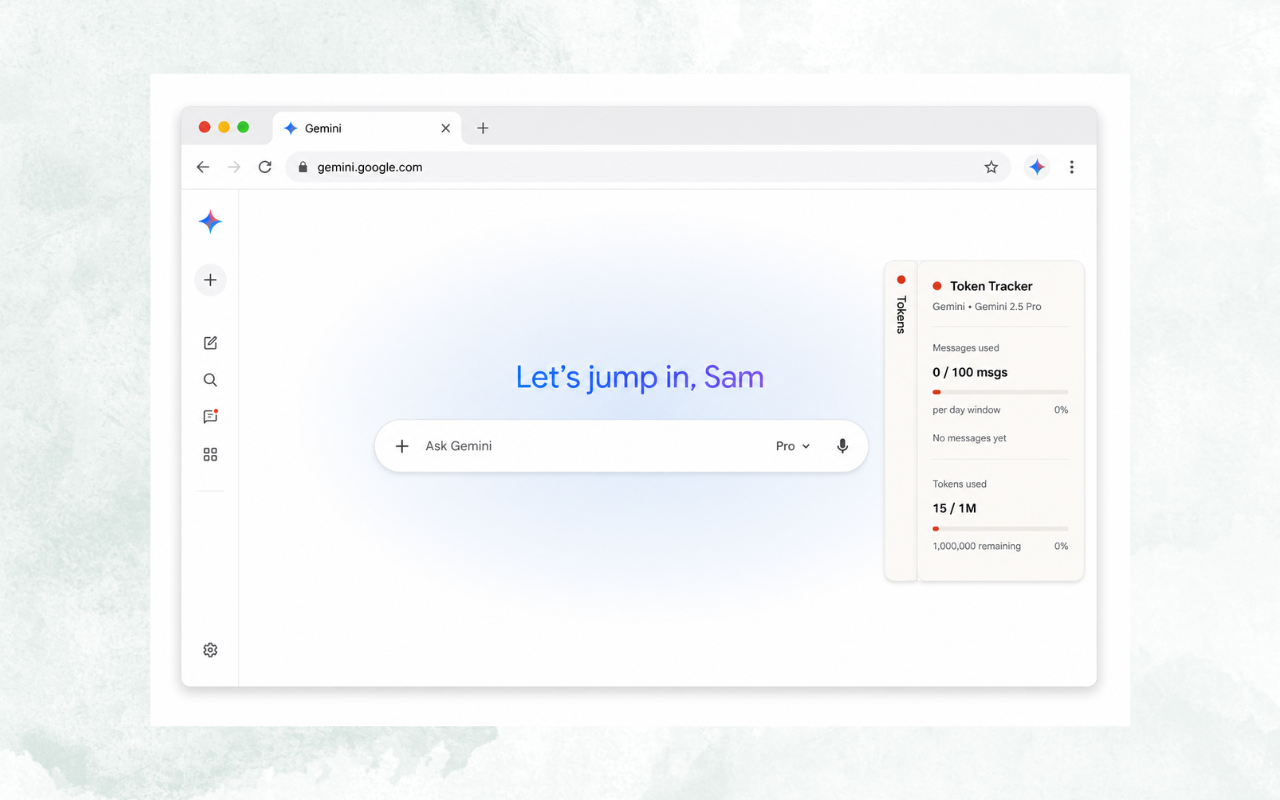
Real-time token usage, rate limit countdowns, and context window monitoring right on the page while you chat.
Works on Claude.ai, ChatGPT, and Gemini. No account needed, no data collected, nothing to set up.
No sign-in required. No data collected. 100% local.
You're mid-conversation when the wall hits.
No warning. No countdown. Just "You've reached your limit." AI Token Tracker puts you back in control, so you always know where you stand before it's too late.
All the usage data you need, updated in real time, without leaving the page you're working on.
Message count, live
See how many messages you have sent versus your plan limit, updated after every reply.
Rate limit countdown
A live timer shows exactly when your limit resets, so you can plan around it instead of guessing.
Context window bar
Track token fill level with warnings at 75% and 90%, before the model starts forgetting earlier messages.
4 display modes
Topbar, sidebar, floating badge, or toolbar popup. Choose the layout that fits your workflow.
Toolbar badge count
Remaining messages shown on the extension icon. No need to open any panel to check.
Active model display
Shows which model you are currently using so you always know what you are running on.
No account, no configuration, no learning curve.
Install from the Chrome Web Store
One click install. No permissions beyond what's needed, explained plainly in the listing.
Select your plan in settings
Tell the extension which AI platform and plan tier you're on. Takes five seconds, done once.
Chat as normal
Your usage data appears automatically on the page. No extra steps, no tab switching.
Pick your preferred view
Switch between topbar, sidebar, badge, or popup at any time from the extension settings.
Permissions used
storage
Saves your plan preference locally in your browser
Nothing else
No camera, no microphone, no browsing history, no network requests to external servers. The extension does exactly what it says and nothing more.
Your usage data stays in your browser. No account, no servers, no tracking.
Local storage only
Plan settings and message timestamps saved to your browser. Nothing leaves your device.
Zero network requests
The extension makes no external requests. No analytics, no telemetry, ever.
No account needed
Install and go. No sign-up, no email, no login required.
Takes 10 seconds to install. Works immediately. No setup required.
Add to Chrome — FreeNot affiliated with Anthropic, OpenAI, or Google.